Built for
Check against a standard, a customer's requirements, an audit grid or a regulation, using the documents you upload.

 English
Solutions
Gap analysis
For each requirement, Doclarity shows where your documents demonstrate it and quotes the passage. Where they don't, it says so. You review it, and it's ready.
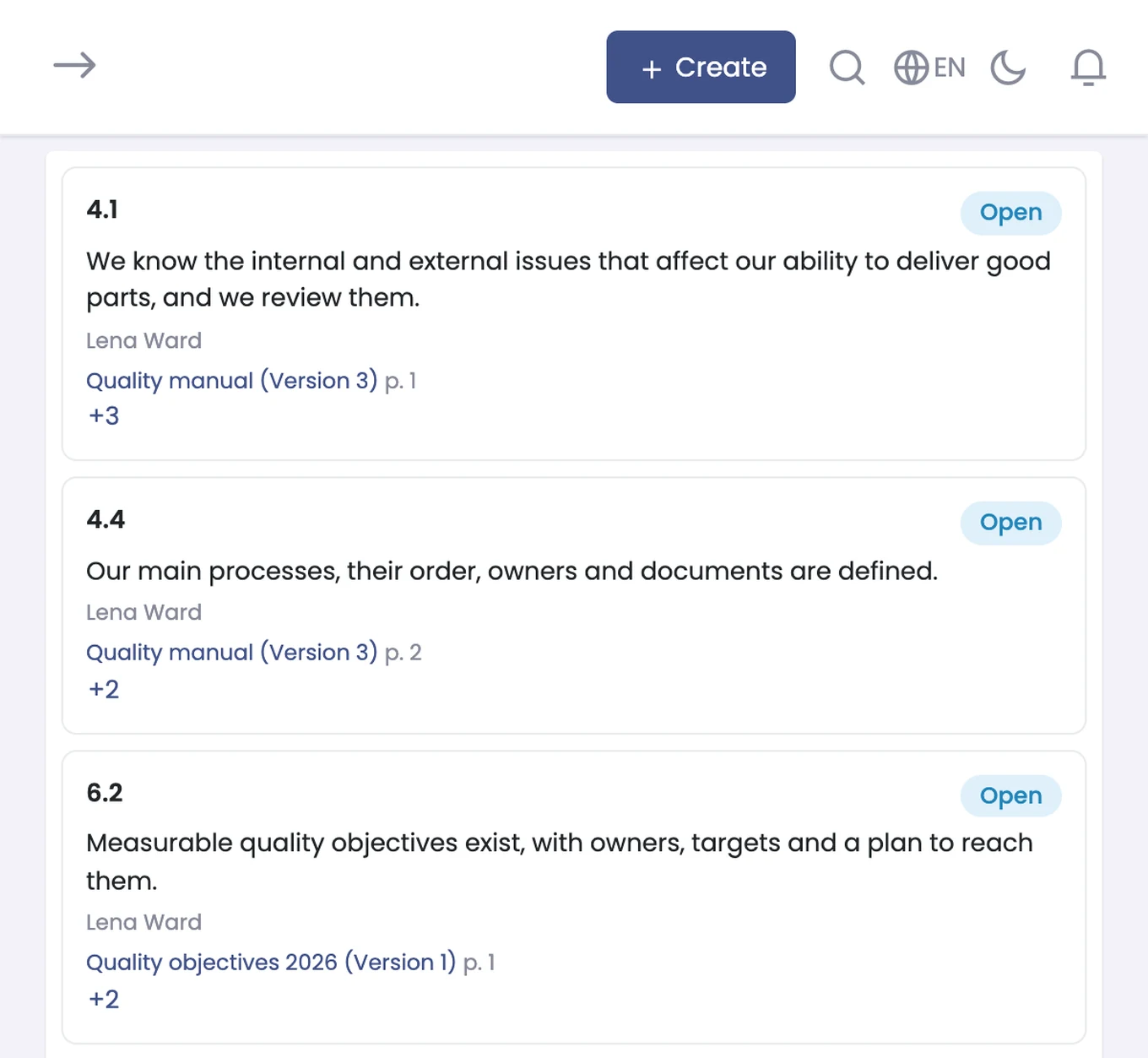
Check against a standard, a customer's requirements, an audit grid or a regulation, using the documents you upload.
Each requirement is marked demonstrated, partial, not established, contradicted, or to verify by interview or observation.

Templates, drafts and records from outside the period are flagged, and none of them demonstrates a requirement on its own.
Why it matters
To know where you stand against a standard, someone has to take each requirement in turn and look for the procedure or the record that shows it. On a full standard, that is days of reading and copying references into a spreadsheet. The result is hard to check. A status in a cell rarely says which passage it rests on, and a blank form or an old edition can pass for evidence without anyone noticing.
Choose the list to check against and your documents. Doclarity gives every requirement in scope one row, with its status, the quotes behind it and the document and page they come from. When nothing in your documents shows a requirement, the row says « not established » and lists the evidence still needed. When only an interview or a visit can settle it, the row says that too, with the questions to ask. The analysis is a self-assessment from your documents. Doclarity never gives a certification opinion, a score or a forecast of the audit result.
Capabilities
A management system standard, a customer's requirements, an audit grid or a regulation. You upload the list, and Doclarity checks your documents against it.
Every requirement in scope gets exactly one row. None is dropped or merged with another.
Demonstrated, partial, not established, contradicted, or to verify by interview or observation. Each status comes with the reason for it.
Each row quotes the passages it relies on, with the document and page. The link opens the document at that passage.
For each requirement that is not demonstrated, the row lists the documents or records that would show it.
Behaviour, awareness and the state of a site cannot be read in a document. Those requirements are marked for interview or observation, with the questions to ask.
A blank form, an example, a draft, a record from outside the period or another organisation's document is flagged. None of them is enough to demonstrate a requirement.
Doclarity knows which edition of each document is in force. Evidence taken from an edition that was replaced, or not yet in force, is flagged.
Open the analysis in the editor, export it to Word, or turn its rows into a register to follow each gap until it is closed.
Run the analysis again and each row keeps its status until its evidence changes. A status that changes is read a second time first.
| Need | Spreadsheet | Chat assistant | Doclarity |
|---|---|---|---|
| Go through every requirement of the list | Manual | Variable | Yes |
| Quote the passage behind each status | Manual | Rarely | Yes |
| Say when your documents show nothing | Manual | Rarely | Yes |
| Keep templates and drafts apart from records | Manual | No | Yes |
| Know which edition of a document is in force | Manual | No | Yes |
| Give a certification opinion | No | No | No |
Doclarity prepares the gap analysis from your documents. The certification decision stays with the auditor.
Workflow
Add the standard or the list of requirements, then the procedures and records to check.
Choose « Check against a list of requirements ». Doclarity reads every requirement against your documents.
Read the status, the quotes and what is still needed. One click opens the passage.
Edit the analysis, export it to Word, or follow the gaps in a register.
Use cases
Check your procedures and records against the standard and see which requirements still need evidence.
Run the analysis against the new edition of a standard and see which requirements your documents do not yet cover.
Upload a customer's list of requirements and show, point by point, where your documents meet them.
Use a regulation or a permit as the list, and see each provision with the passage that addresses it.
Use the questions the analysis gives for the requirements that only an interview or a visit can settle.
Turn the rows that are not demonstrated into a register, with the evidence to ask for on each one.
Teams
Doclarity is less suited if you need a certification opinion or a score. It prepares the self-assessment from your documents, and the auditor still decides.
 a management system standard such as ISO 9001, ISO 14001 or ISO 45001; a customer's requirements; an audit grid; a regulation or a permit; your own internal requirements.
FAQ
No. The analysis shows what your documents demonstrate and what they don't. It is a self-assessment, never a certification opinion.
Any list of requirements you upload: a standard you hold, a customer's requirements, an audit grid or a regulation.
The requirement is marked « not established », and the row lists the documents or records that would demonstrate it. Doclarity never fills the gap with something that sounds right.
From the passages quoted on the row, each with its document and page. The link opens the document at the passage.
No. Templates, examples, drafts and records from outside the period are flagged, and none of them is enough on its own.
Behaviour, awareness and the state of a site are marked for interview or observation, with the questions to ask. They are not counted as gaps.
Solutions
Doclarity prepares the gap analysis from your own documents, with the passage behind every status. You review it, and it's ready.
 Sourced Up to date Honest