
Built for
Start from rough notes, meeting minutes or an old procedure, and get purpose, scope, roles, steps and records.

 English
Solutions
Procedures
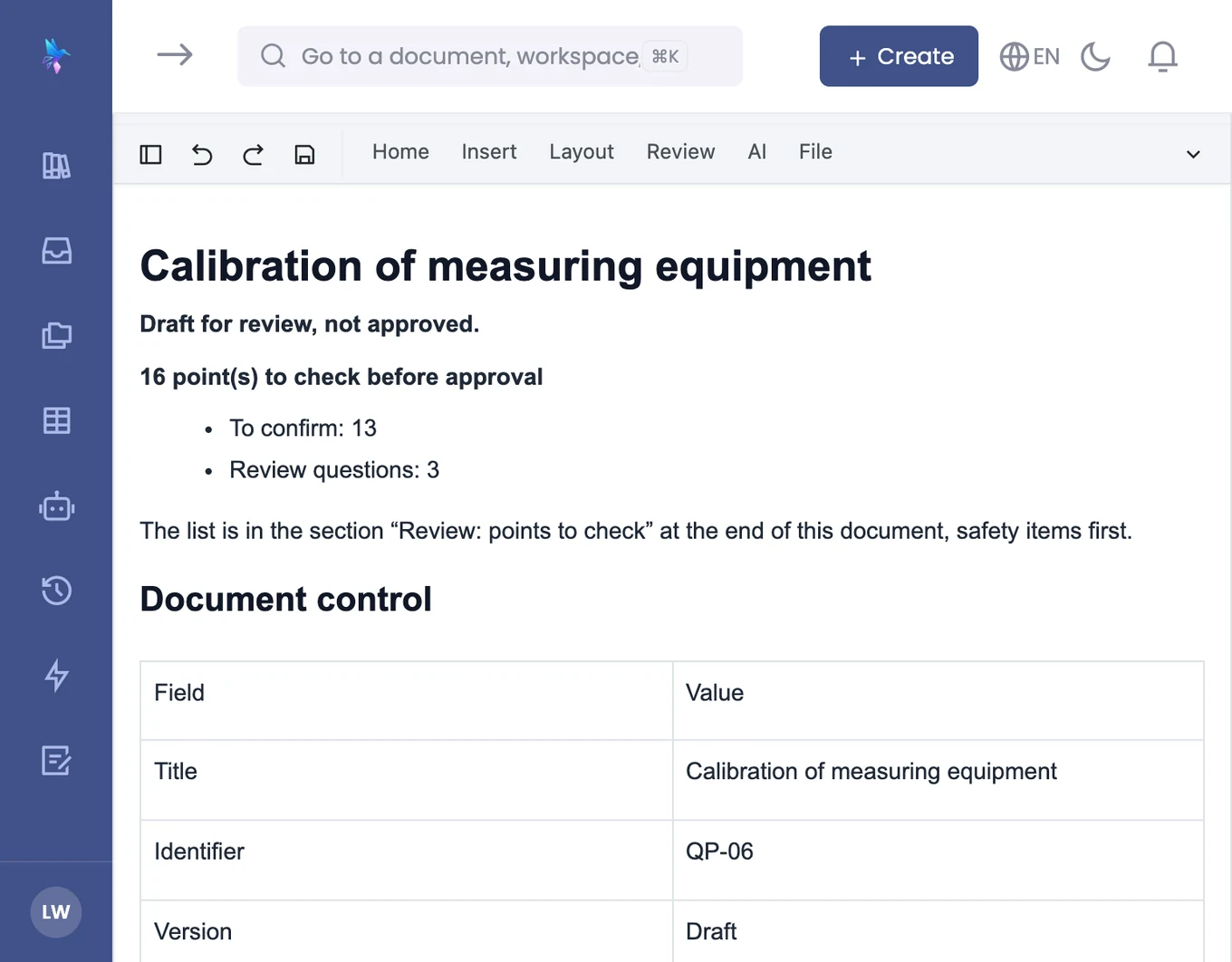
Doclarity turns notes, minutes or an old procedure into a structured procedure. Every safety or control step points to its source, or is flagged for you to confirm. You review it, and it's ready.
Start from rough notes, meeting minutes or an old procedure, and get purpose, scope, roles, steps and records.

A step that no source supports is left out and raised as a question. A value missing from its passage reads « to confirm ».

Use your Word template and your writing style guide, then turn the finished text into a yes/no checklist.
Why it matters
The knowledge is already written somewhere: in field notes, in the minutes where a change was agreed, in the old procedure, in a regulation. Turning it into a clean procedure in the house format takes days of copying and checking. Steps also slip in without a source. A hold point is added from memory, a value is rounded, an owner is guessed. Nobody can say later where the step came from.
Select your sources and Doclarity drafts a structured procedure: purpose, scope, roles, definitions, steps and records. Each step states who does it, with what, the expected result, the control and the record, and points to the passage it comes from. What the sources do not give reads « to confirm ». A step proposed without any source is kept out of the procedure and asked about. When two sources disagree, the procedure shows both and leaves the choice to you. The draft is marked « for review, not approved ». Your approval process stays as it is.
Capabilities
Purpose, scope, roles and responsibilities, definitions, a step table and the records to keep.
Each step points to the passage it comes from, and the link opens it.
A step with no source passage is left out and raised as a question for you to answer.
Every value in a step must appear in its source. When it doesn't, it reads « to confirm ».
When sources hold several versions of a rule, the procedure uses the version your library marks as in force, and says so.
When two sources disagree and the library cannot settle it, the procedure shows both and you decide which one governs.
Use your Word template. « Template Extractor » can make one from a finished Word or PowerPoint document.
Apply your writing style guide and your terminology guide to every procedure.
« Checklist From a Text » turns the procedure into a yes/no checklist. Each item quotes the sentence it comes from.
Once the procedure is approved, publish it from the editor. It becomes the edition in force and the previous one is marked replaced.
| Need | Blank page | Chat assistant | Doclarity |
|---|---|---|---|
| Start from your notes and old procedures | Manual | Variable | Yes |
| Point each step to its source | Manual | Rarely | Yes |
| Flag a step that no source supports | No | Rarely | Yes |
| Follow your Word template | Yes | Rarely | Yes |
| Use the edition of each source in force | Manual | No | Yes |
| Approve the procedure for use | No | No | No |
Doclarity prepares a draft for review. The people who approve your procedures still approve them.
Workflow
Add notes, minutes, the old procedure or the regulation the procedure must follow.
Pick your Word template and, if you keep them, your writing style and terminology guides.
Read each step with its source and answer the points marked « to confirm ».
Run « Checklist From a Text » on the finished procedure.
Use cases
Upload the notes and minutes of a team that already does the work, and get a structured draft with a source on each step.
Select the old procedure and the documents that change it. The draft says what changed in the new edition.
Rewrite procedures written in different formats into your Word template and house style.
Read the questions the draft raises, and decide which steps your organisation really requires.
Turn the finished procedure into a yes/no checklist for audits or daily checks.
In a « Write or revise a procedure » workspace, the master document list sits next to the draft.
Teams
Doclarity is less suited if nothing about the process is written down yet. It drafts from your sources and does not invent steps that no document gives.
 operating procedures; work instructions; safety procedures; maintenance and inspection procedures; administrative procedures.
FAQ
No. A step with no source passage is left out of the procedure and raised as a question for you.
It reads « to confirm » in the step. Doclarity never fills it with a value that sounds right.
Yes. Choose your Word template before you run it. « Template Extractor » can make one from a finished document.
The procedure uses the version your library marks as in force. When that does not settle it, both versions are shown and you decide.
It is a draft marked « for review, not approved ». You review it and approve it through your usual process.
Yes. « Checklist From a Text » turns it into a yes/no checklist, with the sentence behind each item.
Solutions
Doclarity drafts the procedure in your template, from your own documents, with a source on every step. You review it, and it's ready.
 Sourced Up to date Honest