Built for
Each required input is marked covered, partly covered or not found, with the records behind it.

 English
Solutions
Management review
Doclarity gathers each required input from your minutes, audits, actions and indicators, with the source of each one. What it can't find is marked as not found. You review it, and it's ready.
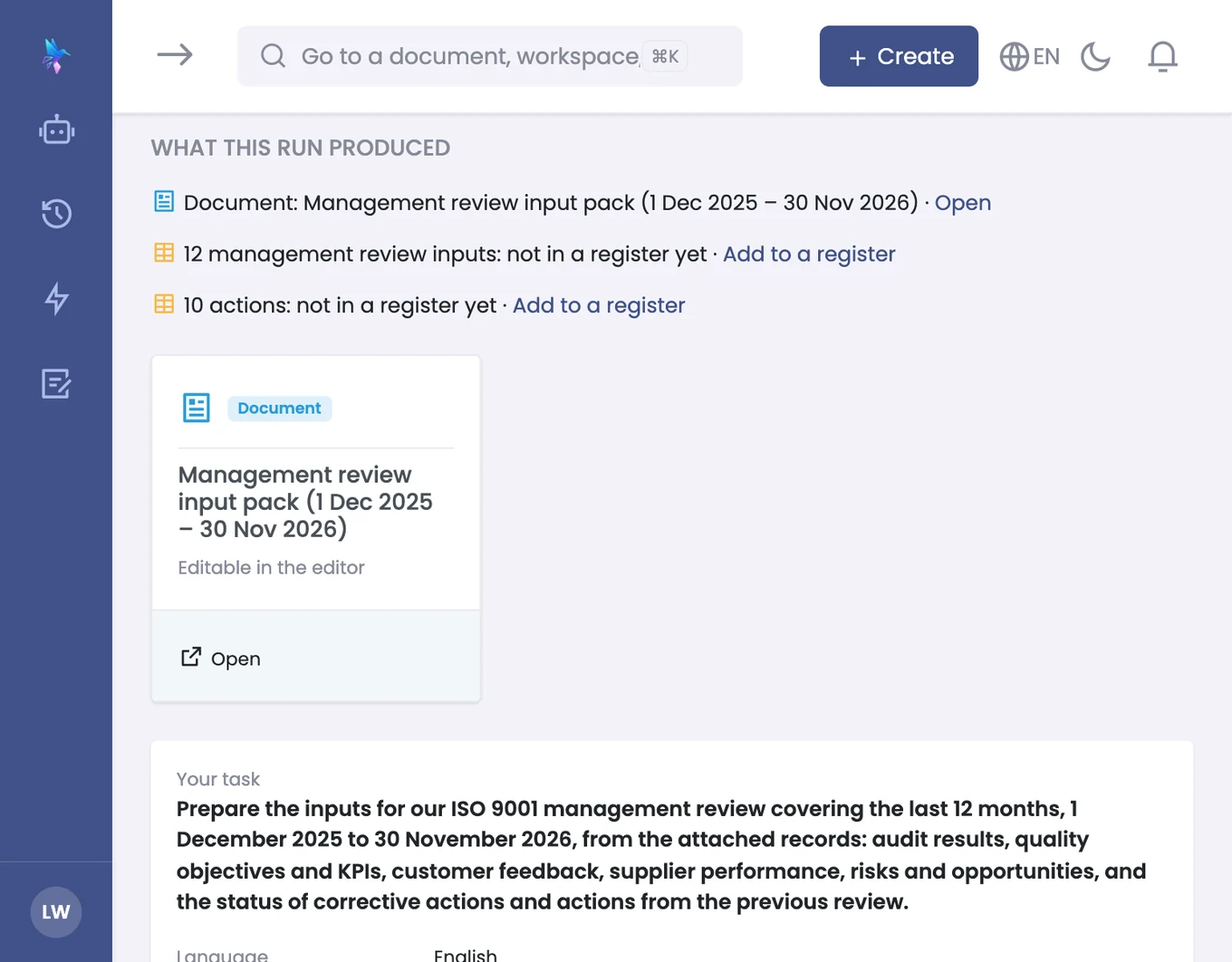
Each required input is marked covered, partly covered or not found, with the records behind it.
Indicators are computed with their formula. A value that can't be computed says which figure is missing.

Previous actions, contradictions between records and points for decision are set out for management to decide.
Why it matters
A management review draws on audit results, customer feedback, objectives, indicators, supplier performance, incidents and the actions decided last time. Each sits in a different report or spreadsheet. Gathering them takes days before every meeting. Figures get copied without their formula, an action is reported closed with no proof, and a missing input is noticed only when the review has started.
Doclarity reads the records of the period you upload and goes through each input the review requires. Each one is marked covered, partly covered or not found, with what the records show and the documents behind it. Indicators are computed with their formula, and the formula says whether it comes from your documents or from a standard method. Records from outside the period are set apart, and events after the period are shown separately. The pack holds proposals only. Decisions belong to management, and the minutes record them.
Capabilities
Each input of the review is listed with its status, what the records show and what is missing.
Each input names the documents it was drawn from, and the link opens them.
Rates and totals are computed from the figures in your records, with the formula shown next to the result.
When a figure is missing, the indicator reads « not computable » and names what was not found.
The actions of the last review are listed with their owner, due date, recorded status and the evidence found for them.
When two records give different values for the same thing, both are shown with their sources.
Records from before or after the period are set apart, so the figures cover the period under review.
Off-target indicators, overdue actions and missing inputs become points for management to decide.
Use your Word template, your writing style guide and your terminology guide for the pack.
The pack ends with the outputs your minutes must record, such as improvement decisions and resource needs, left for management to fill in.
| Need | By hand | QMS software | Doclarity |
|---|---|---|---|
| Gather each required input with its source | Manual | Variable | Yes |
| Mark the inputs that were not found | Manual | Rarely | Yes |
| Show the formula behind each indicator | Manual | Variable | Yes |
| Flag values that differ between records | No | Rarely | Yes |
| Follow the actions decided at the review | Manual | Yes | Yes |
| Take the decisions | No | No | No |
Doclarity prepares the inputs and proposes points for decision. Management decides, and the minutes record what was decided.
Workflow
Add audit reports, minutes, indicator spreadsheets, complaints and the previous review.
Choose « Management Review Pack ». Doclarity goes through each required input.
Check each status, formula and source. One click opens the record.
Management decides. The actions go into a register with an owner and a due date.
Use cases
Upload the records of the year and get every input of the review, each with its source.
See each indicator with its formula, its target and the records it was computed from.
See which actions from the last review are closed with evidence, closed without evidence or overdue.
See which inputs were not found while there is still time to supply them.
In a management review workspace, finish with a one-page note listing the decisions to take.
Keep the actions decided at the review in a register, each with its owner and due date.
Teams
Doclarity is less suited if your indicators live only in another system and never appear in a report or spreadsheet you can upload. Doclarity works from the files you upload.
 internal and external audit reports; customer feedback and complaints; objectives and indicators; supplier performance; incidents and nonconformities; the minutes of the previous review.
FAQ
No. The pack proposes points for decision. Management decides, and the minutes record it.
The standard named in your request or your documents. When none is named, it uses the inputs that ISO 9001, ISO 14001 and ISO 45001 share for the review.
It is marked « not found in the documents provided », so it can be supplied before the meeting. Doclarity never fills it with something that sounds right.
From the figures in your records. The formula is shown, and it says whether it comes from your documents or from a standard method.
They are set apart. Events after the period are shown separately and never counted in the period's figures.
Yes. Choose your Word template, your writing style guide and your terminology guide before you run the pack.
Solutions
Doclarity gathers the inputs of the review from your own documents, with the source of each one. You review it, and it's ready.
 Sourced Up to date Honest